
SV777 Game Login and Password Help
Use your Pakistani mobile number and SV777 password to return to the lobby and wallet. Open Log In above, then select the Login tab displayed by the platform.
Log in with your existing account
In the lobby, open the account dialog and select Login. The form uses the +92 country code, a phone-number field and a password field. The login screen also showed Quick Login with Google.
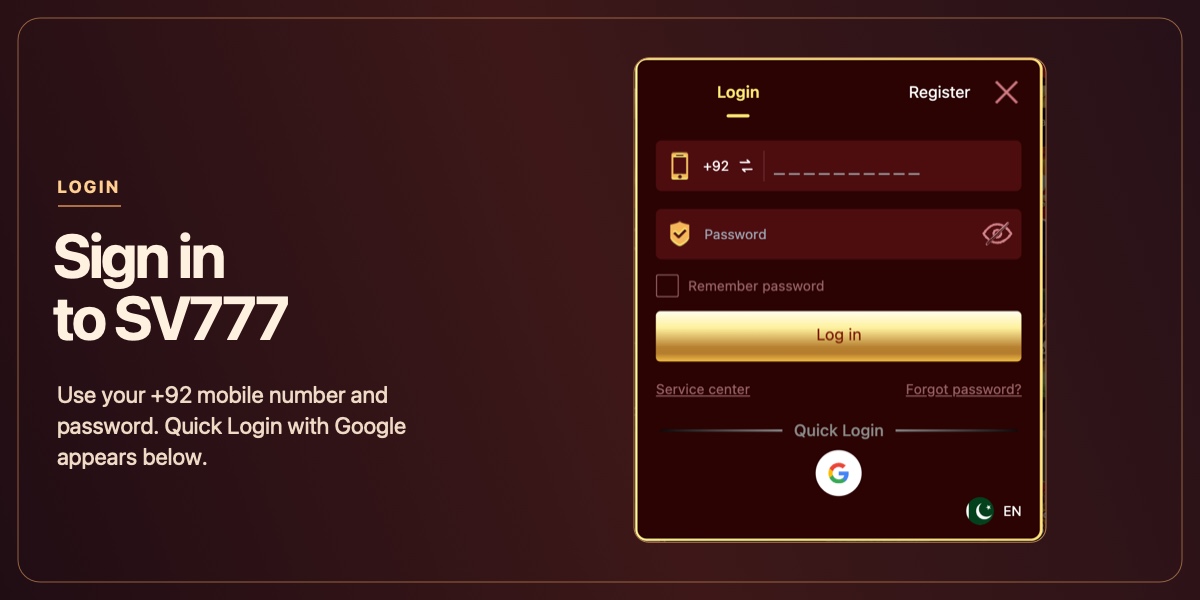
- Enter the Pakistani mobile number linked to your account in the field beside +92.
- Enter your password and select Log in on the form.
- Use Remember password only on a personal device.
Use +92 or Google Quick Login
The phone login uses the Pakistani number linked to the account. Google Quick Login appears below the form. If you used Google before, choose the same account when prompted.
Forgot your password?
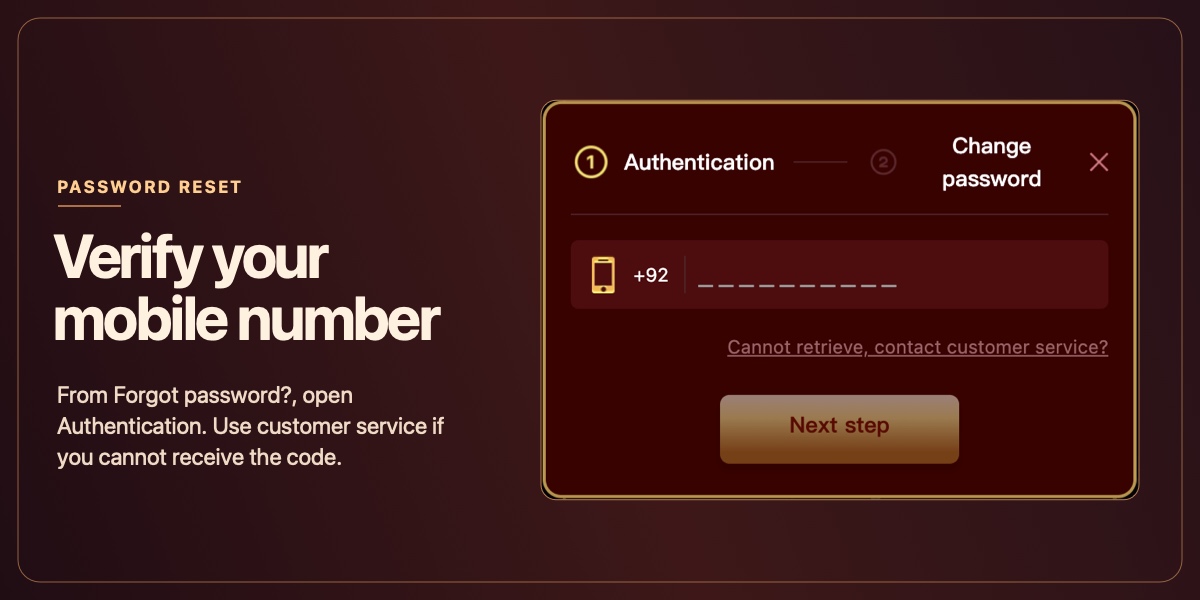
Choose Forgot password? under the login form. In Authentication, enter the mobile number registered to your account next to +92. Select Next step and complete verification with the code sent to your phone. Then set a new password in Change password.
If you cannot receive the code or no longer have access to the number, choose Cannot retrieve, contact customer service? to ask Support for help.
If login or verification fails
Check the phone number and your connection before retrying. If the platform asks you to verify your identity, follow the method displayed. If an error persists, use Service center on the login form or Live Chat in the lobby and share the exact error without your password or any verification code.
- Check that the +92 phone number is the one registered to your SV777 account.
- Enter the most recent verification code sent to your phone if you requested more than one.
- Use Service center or Live Chat if a code still does not arrive. Share the error message and keep the code private.
New here or already signed in?
Choose Register if you have never opened an SV777 account. If the lobby already shows Mine or your account information, you may still be signed in. Confirm it is your own account before continuing.
Signing in on another phone or in Safari
Keep the original account when changing devices or switching between the app and H5. If the expected wallet activity is missing, check the login method and account before contacting support.
Get account help from Service center
Use Service center on the login form, the customer service link in Forgot password?, or Live Chat in the lobby. Give the exact message and the step where you were blocked.