
Create Your SV777 Account
Open Register above and select the Register tab in the SV777 lobby. The Pakistan form asks for a +92 mobile number, a password and password confirmation.
Open the registration form
Use a Pakistani mobile number you can access yourself. The Invite code field is labelled Optional. If a campaign link has already supplied a code, the form may show it automatically.
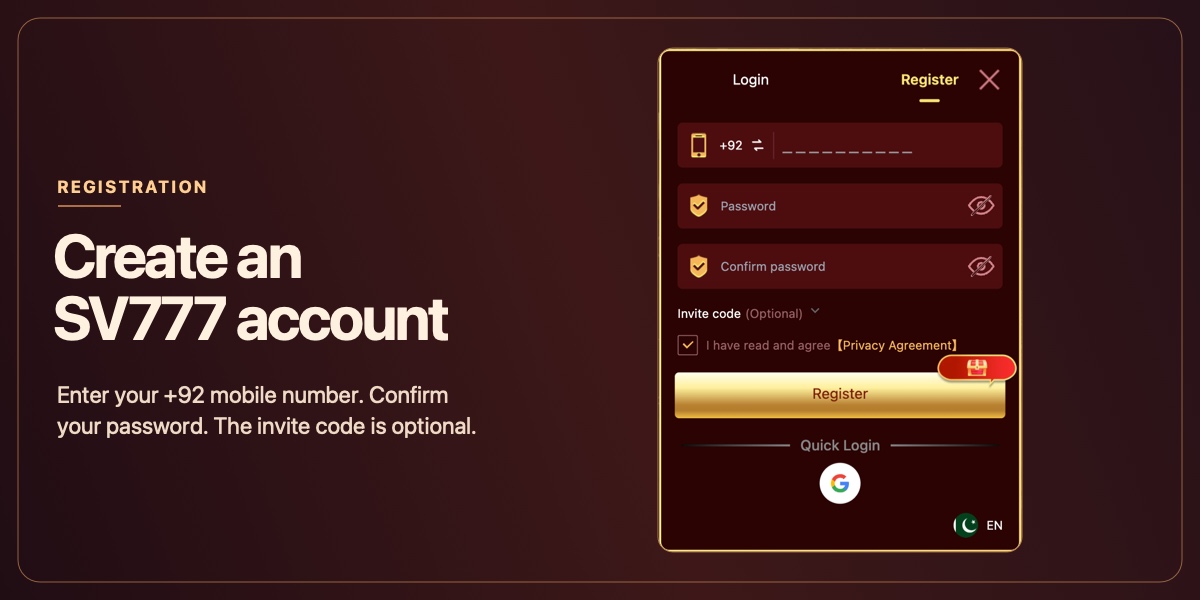
- Enter your mobile number in the field beside +92.
- Set a password and repeat it in Confirm password.
- Review the Privacy Agreement shown on the form, then follow the steps displayed before selecting Register.
Quick Login with Google
The registration screen also showed a Google option under Quick Login. If you choose that option, read the account prompt and select the Google account you want to use.
If the form says you already have an account
Try Log In with your existing details or use password recovery. This helps you return to the same wallet and account activity. Ask support to help if you cannot recognise the account.
First steps after registration
Get familiar with the lobby, the proper download entry and the help menu. First-deposit and app rewards have separate conditions in Promo. Read the activity detail before deciding whether to take part.
If you arrive from a referral link
The Register screen can show an invite code already attached to the link. The Invite code field is labelled Optional. If you already have an account, switch to Login to reach the same wallet and activity history.
Review the form before submitting
Check the +92 number, verify that the password fields match and read the Privacy Agreement shown with the form. If the form displays another requirement, follow the on-screen instructions.
Keep one account when you change devices
Use the same sign-in method when moving between the app, WEB APP and browser. If a number is already associated with an account, use Login or recover the existing account.