
Contact SV777 Support
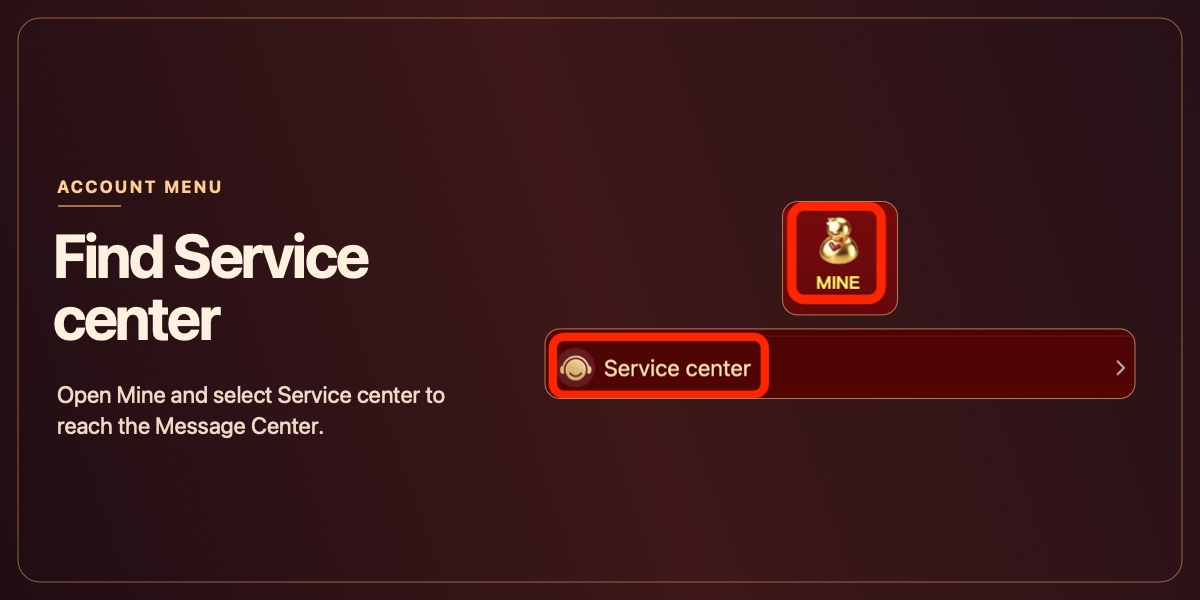
For help with your account, games, promotions, deposits or withdrawals, open Live Chat in the lobby. When signed in, go to Mine → Service center → Contact Now for 24/7 Customer Support.
Open Service center from your account
Select Mine at the bottom of the platform. Tap Service center to open the Message Center. Keep the Service center tab selected and choose Contact Now.
Open Live Chat without using Mine
Live Chat is visible near the top of the lobby. The Login screen also displays Service center. Use these routes if you need help signing in.
Customer support and official community channels
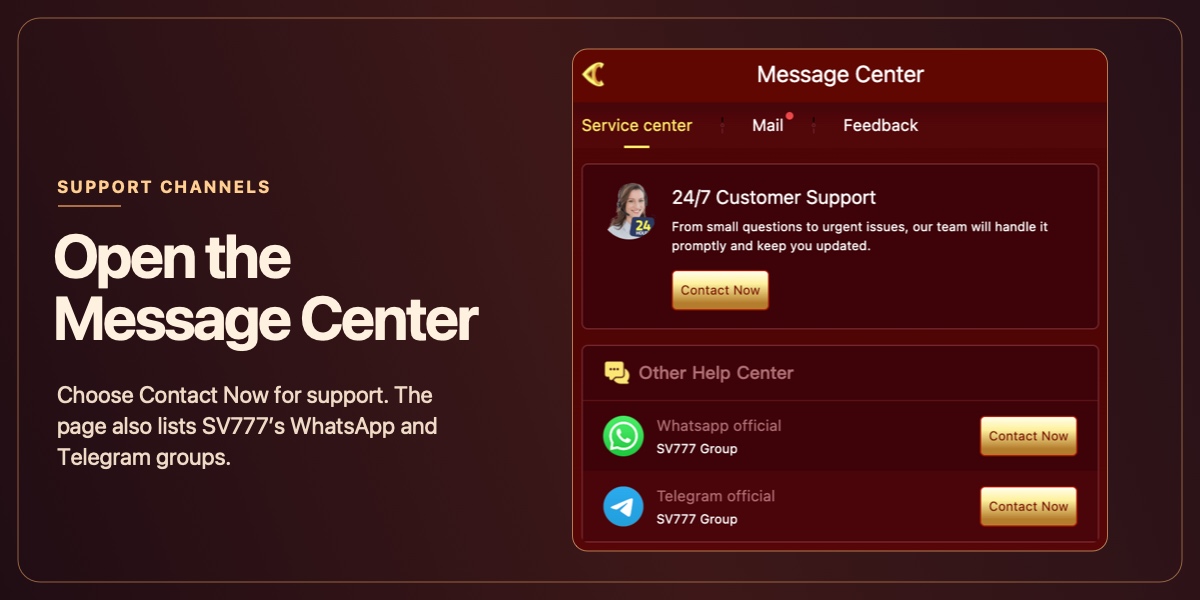
The Message Center shows 24/7 Customer Support, plus WhatsApp and Telegram under Other Help Center. For private account or payment enquiries, use the support chat opened from the platform.
- On the Login tab, use Service center if you cannot sign in.
- In Forgot password?, use the customer service option if you cannot receive the verification code.
- On the Deposit screen, use Online Customer Service when a top-up is unresolved.
Start a chat with the details needed
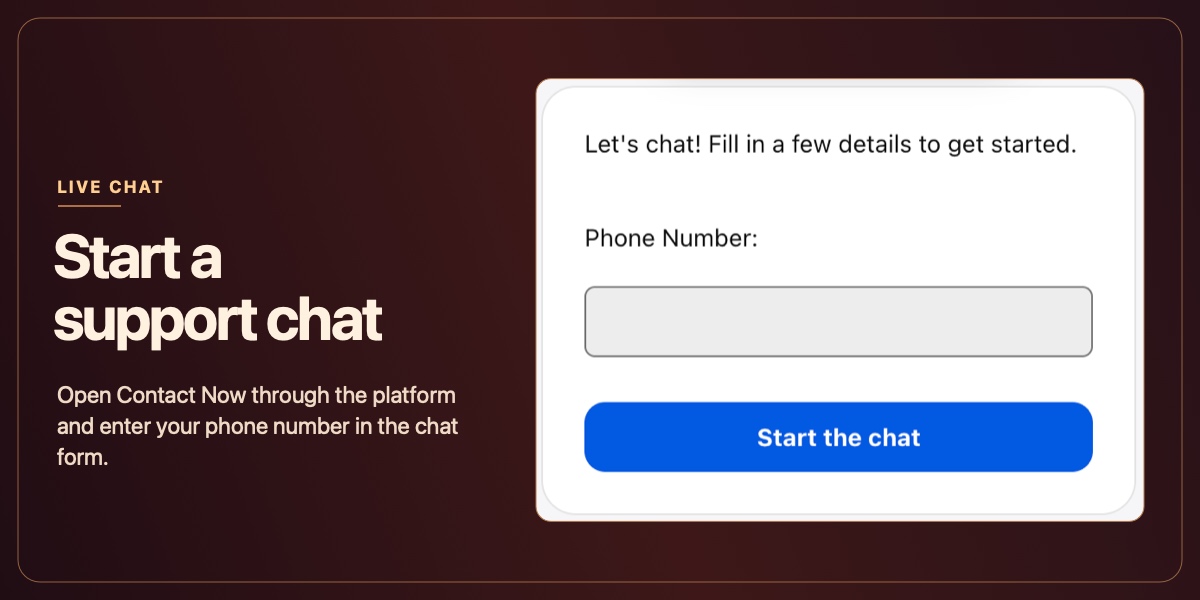
The Contact Now chat asks for your phone number before Start the chat. Enter it in the chat form opened from the platform. In your message, explain the issue and include the relevant details below.
- Account access: the step and error message.
- Deposits or withdrawals: status, method, amount, approximate time and transaction reference.
- Promotions: offer name and task or claim status.
- Download: phone model, software version, browser, and error.
- Privacy: describe the information or request you want reviewed.
Keep evidence ready for a transaction issue
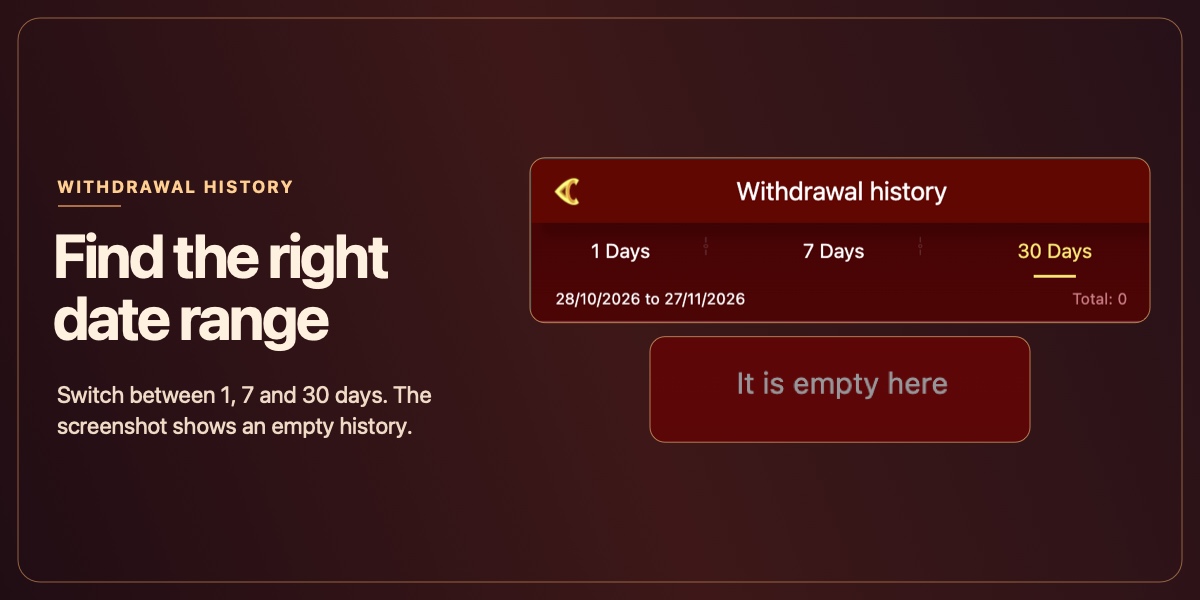
For a missing deposit or payout, check the date range and status in your wallet. The Withdrawal history example in the Withdrawal guide shows the 1, 7 and 30 day views. Keep a redacted copy of the receipt or wallet status when it helps the support agent understand the issue.
- Use Deposit and Withdrawal for the on-platform troubleshooting steps.
- Keep your password, wallet PIN and verification code private.
App download and installation help
Tell Support whether you used Android APP, iPhone APP, WEB APP or H5. Include the exact error, device model and system version. If you can use H5, open the browser lobby to reach Live Chat.
Account and verification help
For login or password recovery, describe the form and step you reached. If you cannot access the registered phone number, use the customer service link in the recovery form.
Deposit and withdrawal help
Before contacting Support, check the wallet date range and the order status. For a missing deposit, include the payment provider’s reference. For withdrawals, include the payout reference and selected receiving method.
Bonus, rebate and VIP questions
Open the activity, record its name, and check task or claim status. For a fee question, note the VIP tier and what the withdrawal summary showed.
Follow up on an existing enquiry
Use the same issue details when following up. If the platform gave you a reference, keep it with your previous screenshots and messages.